
Android app
Download the Gita Mitra App
Experience the Bhagavad Gita — read, listen, and reflect anytime, anywhere.
Scan the QR code or tap the button to download directly on your device.

Scan with your phone camera
How to Install
You may be prompted with notifications and alerts suggesting the file may be harmful. Download and install — Google Protect can be used to scan the GitaMitra app.
Step 01
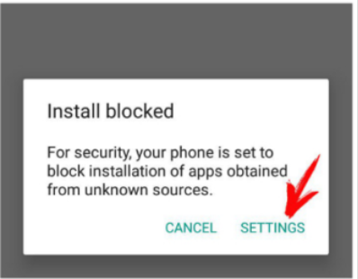
Open settings
If installation is blocked, tap Settings on the prompt.
Step 02
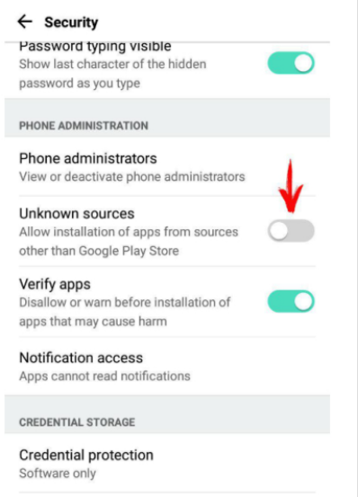
Allow the install
Enable “Allow installation of apps from sources other than the Play Store.”
Step 03
Install the app
If downloaded, go to Downloads and install the app. Otherwise download again and install.